

One Device Slowing Down WiFi Network: Why It Happens
One device slowing down wifi network performance is a common issue that often confuses network administrators. You walk a site survey and the numbers look fine. Signal strength is solid, the access point is within its client limit, and the spectrum analyzer shows no major interference. Yet throughput drops when certain devices are present. In many cases the problem is not coverage or interference — it is how airtime is being spent. A single slow device can consume a disproportionate share of the shared medium, leaving every other client waiting.
Why Wi-Fi Is Not Like a Switch
Wi-Fi is a shared medium. Only one device can transmit on a channel at a time; everyone else must wait. The resource being divided is time, not fixed bandwidth. A device transmitting at a low rate occupies the channel far longer to move the same amount of data. While it transmits, every other client is blocked. One slow transmitter effectively reduces the capacity available to the entire basic service set. For a deeper explanation of how Wi-Fi medium access works, see the IEEE 802.11 overview.
Put a Number on It
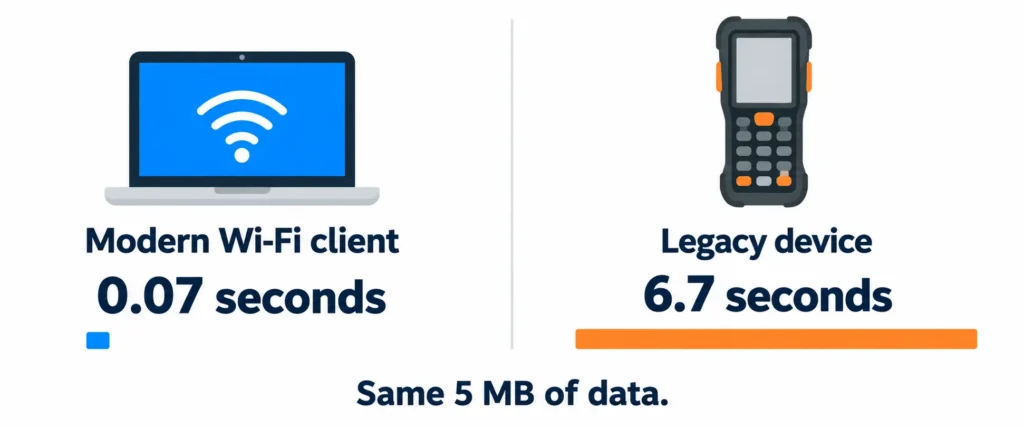
Consider a device that needs to move 5 MB of data (roughly 40 megabits). At a healthy modern rate of around 600 Mbps the transmission takes about 0.07 seconds. At a legacy rate of 6 Mbps the same transfer takes roughly 6.7 seconds — nearly a hundred times longer. During that time the channel is unavailable to every other client. Continuous or frequent traffic from a slow device (security camera, barcode scanner, or payment terminal) quickly drives channel utilization high even with a modest client count. Capacity planning based only on device count is unreliable. Run your own client mix through the NetGlowz Wi-Fi Airtime Calculator to see the real utilization.
What Actually Causes It
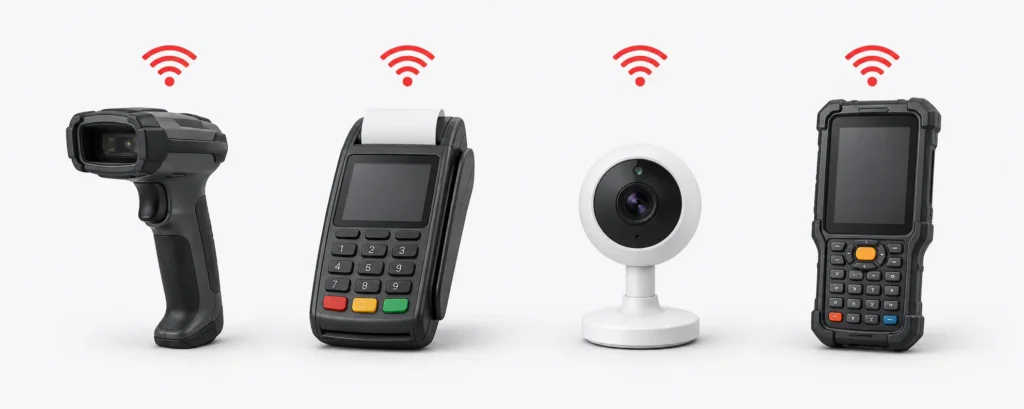
The devices that create this problem are rarely the newest phones and laptops. Common sources include legacy fixed-function hardware (barcode scanners, payment terminals, industrial sensors, older IP cameras) that only support low rates. Clients that are too far from the access point fall back to low rates, turning a coverage issue into a capacity problem. Sticky clients remain associated to a distant access point. Devices that stay on 2.4 GHz when 5 GHz is available keep the congested band busy at lower efficiency. These situations are frequent in retail, warehouses, hospitals, and campuses where older hardware remains in service for operational reasons. More detail on legacy rates can be found in Cisco Legacy Data Rate Selection.
How to Confirm It Before Changing Anything
Look at per-client connected data rates rather than signal strength. A client can show strong RSSI yet transmit at a low MCS. Check channel utilization on the access point or controller — high utilization with a modest client count is a clear warning. Correlate periods of degradation with the presence or activity of specific devices. Signal-strength dashboards and client-count views often look healthy, which is why the problem can survive a clean site survey. The rate and the airtime consumed are the numbers that matter.
The Fixes and What Each One Costs You
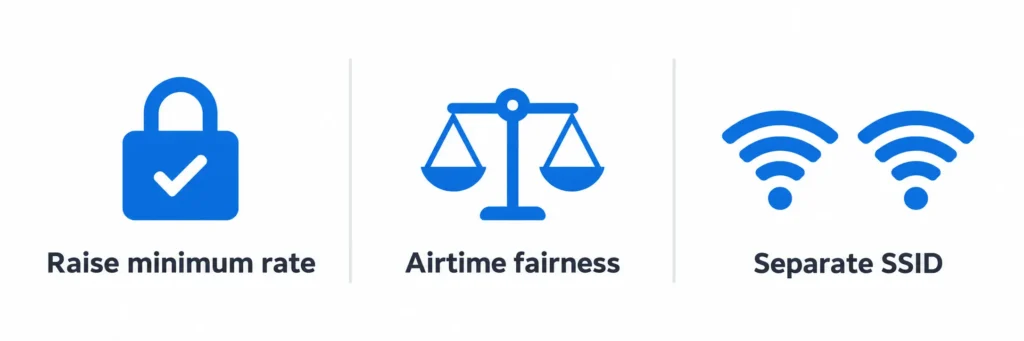
Raising the minimum basic rate is the most direct way to recover airtime, but devices that cannot meet the new rate will no longer associate. Inventory every client type first. Airtime fairness features redistribute time more evenly but do not eliminate the underlying cost. Band steering and roaming tuning help move capable clients onto 5 GHz and nearer access points.
Separating problem devices onto their own SSID or band isolates their impact. Moving fixed-function devices to wired Ethernet removes them from the wireless medium entirely. Of these options, raising the minimum rate recovers the most airtime and is also the one most likely to break something if the inventory is incomplete. Airtime fairness behavior is explained in Cisco Air Time Fairness and this TP-Link knowledge base article.
Designing for It
Capacity planning that ignores client capability will under-size or over-size the network. Before deciding how many access points a space needs, audit what will actually connect and at what rates those devices can realistically operate. In mixed environments the airtime cost of the slowest clients often dominates. Client-count rules of thumb miss this effect.
Running the expected device mix through the NetGlowz Wi-Fi Airtime Calculator gives a clearer picture of required radio capacity. For smaller deployments the practical steps in our guide to optimizing Wi-Fi network performance address many everyday issues. In multi-AP environments with heterogeneous clients, managing airtime is the deeper control. The two approaches complement each other.
In practice, the most reliable way to avoid one device slowing down wifi network performance is to treat client capability as a design input rather than an afterthought. Document the data rates of every device type that will connect, estimate their traffic patterns, and model the resulting airtime before finalizing access point density or channel plans. Networks that skip this step often discover the limitation only after users complain, at which point the available fixes become more disruptive. Starting with an inventory and an airtime calculation keeps capacity planning realistic and reduces the chance that legacy or poorly connected clients will dominate the medium once the network is live.
FAQs
What does “one device slowing down wifi network” actually mean?
It means a single client transmitting at a low data rate occupies the shared Wi-Fi channel for a long time, forcing every other client to wait.
Is this the same as interference or poor signal strength?
No. You can have excellent signal strength and low interference, yet still see poor performance if one or more clients are using very low data rates.
Will airtime fairness fix the problem completely?
Airtime fairness redistributes the available time more evenly, but it does not remove the underlying cost of the slow client. Raising the minimum rate or removing the slow device is more effective.
Can I safely raise the minimum basic rate?
Only after you inventory every device that needs to connect. Any client that cannot support the new minimum rate will fail to associate.
How do I confirm this is the issue on my network?
Check per-client data rates and channel utilization rather than just signal strength or client count. High utilization with a low client count is a strong indicator.

