
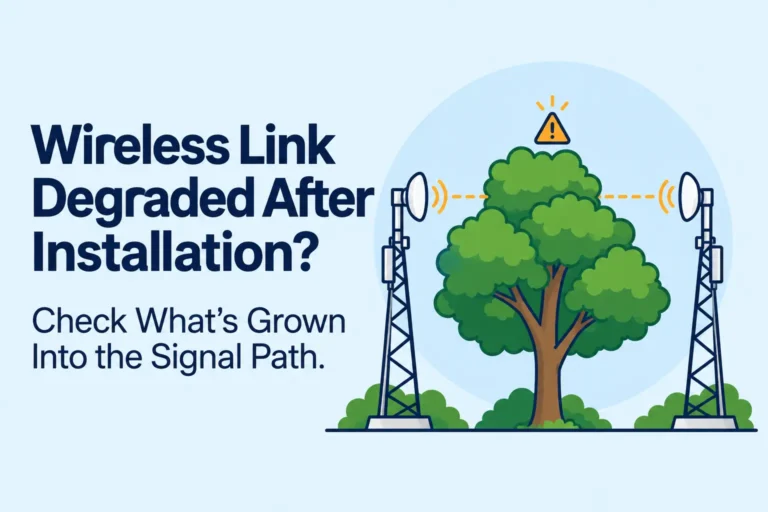
The Link Worked Fine. Six Months Later It Didn’t.
The link passed commissioning. Both ends hit the design receive level, modulation locked at the rate on the quote, and the customer signed the handover. Six months later a wireless link degraded after installation is what you are looking at: throughput down, retransmits up, and nothing at either radio has been touched.
That pattern is common, and it is almost never a failed radio. This is about telling which cause you actually have before anyone climbs a mast or orders a replacement.
Nobody changed the config. Nobody swapped a feeder. The path simply stopped being the path you signed off.
Table of Contents
What the symptoms actually look like
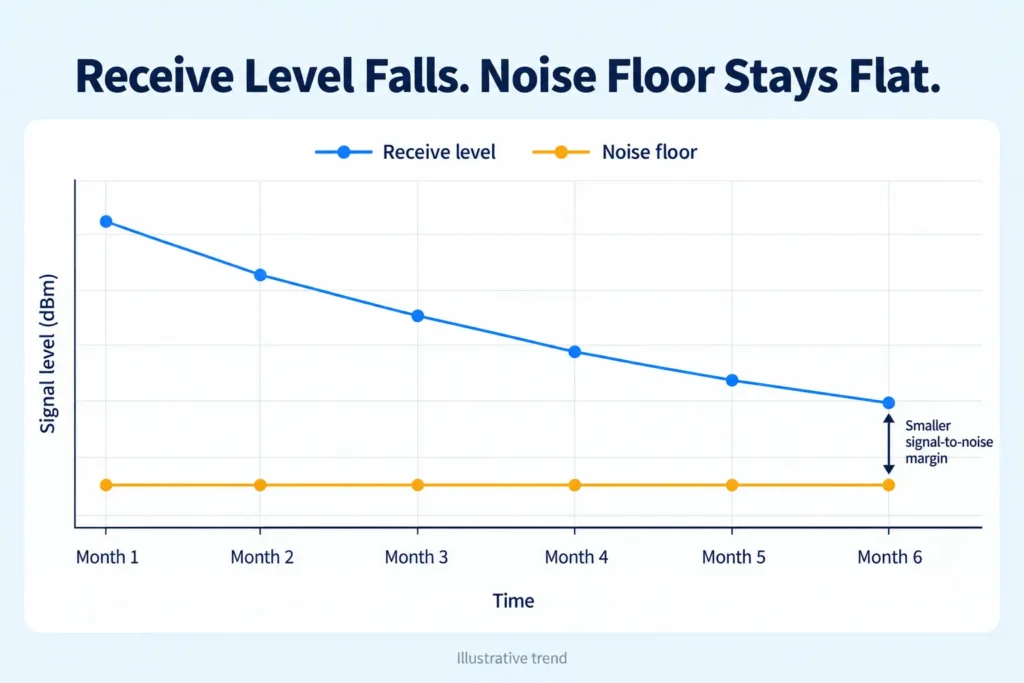
A wireless link degraded after installation usually announces itself slowly. Receive level at both ends drifts down together over weeks or months. The noise floor stays where it was on day one. The radios start rate-shifting to hold the link, so the customer sees slower speeds and more retries rather than a hard outage. The drop often tracks the season, or a stretch of wet weather, not the hour of the day.
Interference looks different, and it is worth separating the two before you touch a mount. Interference lifts the noise floor, and the trouble clusters around the hours when the interfering source is on.
A water-filled connector or a dying radio fails the other way: abruptly, and often at one end only. When both ends lose signal by roughly the same amount and the noise has not moved, the path itself has changed. That single comparison, level down and noise flat, is the field signature worth trusting.
Seasonal signal degradation is the version that fools people. The link is fine in January. By June the same radios, on the same aiming, are a modulation step down. Nothing in the rack explains it. If you only poll the radio at noon on a dry day you will miss it. The useful log is receive level against the commissioning number, taken on a wet afternoon in the leafy months.
Why a wireless link degraded after installation can still pass commissioning
Visual line of sight is not radio clearance. A link can look clear from the ground, pass its acceptance test, and still be sitting on the edge of the Fresnel zone. The common 60 percent fresnel zone clearance figure is a margin convention, not a pass mark. A path that just clears that line on a calm day will still deliver the design level, because the obstruction loss is small when the intrusion is slight. Months later that same intrusion is no longer slight.
Line of sight vs radio clearance is the whole argument. You can see the far tower and still be blocking the zone the wave actually needs. For a plain explanation of why the zone matters more than what the eye can see, see AFAR’s note on radio line of sight is a clean external explanation of why the zone, not the eye, is the test. The geometry does not need deriving here.
The NetGlowz Fresnel Zone Calculator shows the zone radius at any point along the path for the frequency and distance you actually have, which is the number that matters when you go back to check. A barely clear link tests fine on day one. That is why it was signed off, and why a wireless link degraded after installation still surprises the person who watched it pass.
What eats the margin over time
Vegetation is the one I see most. A link shot over scrub that was waist-high in March is shooting through a canopy by August. The midpoint is where it hurts, because that is where the zone is widest. A modest tree in the middle blocks more of the zone than a taller one near either end. Trees blocking wireless link paths are dull until you have walked the midpoint and found the crown that was not on the survey photo.
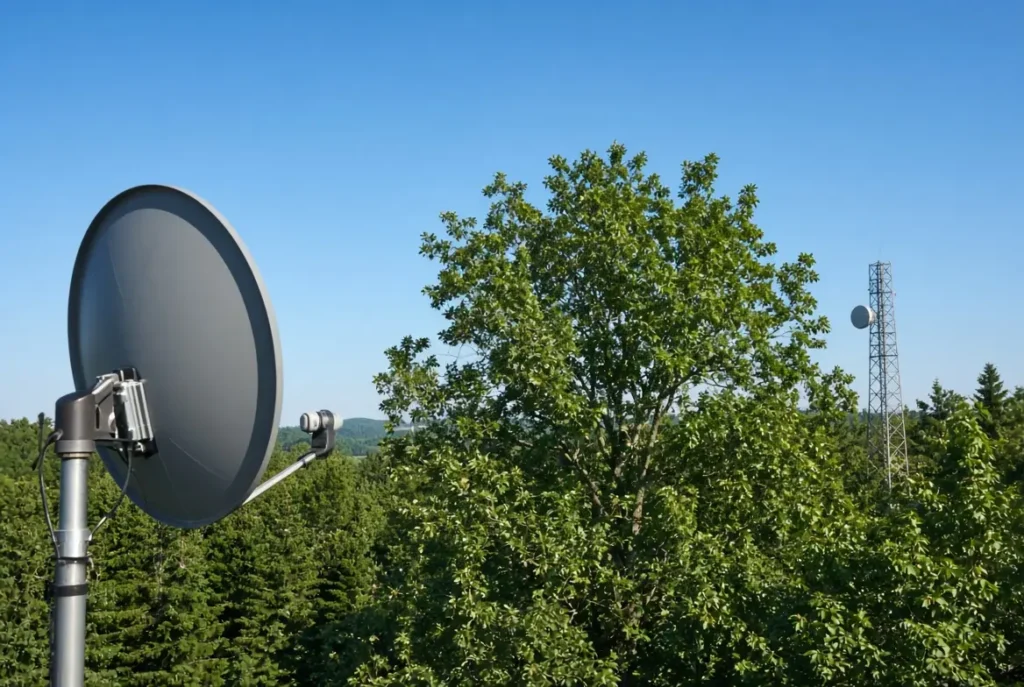
Seasonal foliage is the close second. Paths that stay clear when the trees are thin or dormant fall apart once the canopy fills in. I have watched the same hop lose 6 to 8 dB over the leafy months for three years running, with no other change on the radio. Wet leaves make it worse than dry ones. The customer calls it “the link hates the growing season.” They are not wrong.
New construction is less common and more decisive. A warehouse, a billboard, or a site office dropped into the middle of the path will take the level down in a week and then sit there. I have had a hop that was clean in the survey photos and 9 dB down after a steel shed went up 40 metres off the midpoint. Nobody at either end had “changed anything.”
Refraction is the one people argue about. Effective earth curvature changes with the temperature gradient, and a path that cleared under normal conditions can graze under a strong inversion.
It shows up as fade that correlates with weather rather than with traffic, and it is easy to misread as interference if you only look at one end. On a long hop that fade can look like a radio fault for a week, then vanish when the weather turns.
Confirm it before you spend money
Cheapest checks first. Pull the commissioning record and compare today’s receive levels with the numbers written down on handover. If both ends are down by a similar amount and the noise floor is unchanged, you already have the signature of a path problem, not a radio problem. Point to point link troubleshooting starts there, not on the alignment bolts.
Re-run the path with the obstruction heights that exist now, not the ones from the original survey. The NetGlowz Link Distance Calculator is the quick way to recheck whether the span and the antenna heights still give you the clearance you thought you had once the new obstacle is in the numbers. Then look at the midpoint. That is the step most people skip. A low obstruction in the middle costs more signal than a taller one near either radio, and it is also the place a tree or a new roof is most likely to have appeared.
Walking or driving the path beats another realignment. Realigning, or swapping the radio, is what happens when this check is skipped. The radio was never the problem.
If the levels match a wireless link degraded after installation and the noise does not, stop buying hardware. The same habit shows up on longer fixed wireless hops, where a clear-looking shot is treated as a clear radio path and then blamed on the CPE six months later.
Fixes, in cost order
Raising the antenna or clearing the path buys clearance. A bigger antenna or a frequency change mostly buys margin. They are not the same thing, and treating them as interchangeable is how the same link comes back a year later.
- Raise the mount or the mast at one or both ends. A few metres is often enough to restore the clearance the original design assumed. This is usually the lowest-cost real fix if the structure can take the extra height.
- Clear the vegetation. It works the day you cut it, and it is temporary unless someone owns the cutting. Regrowth puts you back in the same place inside a season or two.
- Fit a higher-gain antenna with a narrower pattern. This buys margin. It does not remove the obstruction. Useful when you cannot raise the mount and the intrusion is only partial.
- Change frequency. A higher band has a smaller Fresnel zone, so the same physical obstruction blocks less of it, but it also suffers more through wet foliage. The trade-off is real. It is not free clearance.
- Relocate one of the sites. Last resort. It buys a new path rather than patching the old one.
Design so it does not happen again
Design the next hop past the minimum on any path that crosses vegetation, or land someone else can build on. Write the commissioning receive levels down so the next visit has a baseline instead of a guess. Re-check any path where something near the midpoint can grow or be built. The NetGlowz Fresnel Zone Calculator and the NetGlowz Link Distance Calculator already hand off to each other. Use them at design time with the growth and the buildings included, not only with the clear-day survey. That is how you stop the next wireless link degraded after installation from being a surprise.
FAQs
Why did my wireless link pass commissioning and then get worse months later?
Because day-one clearance was only just enough. A path that barely clears the Fresnel zone still delivers the design level when nothing is in the way. Vegetation, new construction, or a change in refraction can eat that margin later, so both ends lose receive level while the noise floor stays the same.
How can I tell if the problem is the path and not interference or a bad radio?
Compare current receive levels with the commissioning record. If both ends are down by a similar amount and the noise floor has not moved, the path has changed. Interference usually lifts the noise floor and follows a time-of-day pattern. A failing radio or water in a connector usually drops one end abruptly.
Does a clear line of sight mean the link has enough radio clearance?
No. You can see the far tower and still be blocking part of the Fresnel zone. The common 60 percent figure is a margin convention, not a pass mark. A link that only just meets it will test fine on a calm day and then degrade when something grows or is built into the path.
What usually causes a wireless link to degrade after installation?
In order of how often it shows up: vegetation growing into the path, seasonal foliage (fine in winter, worse in summer), new construction near the midpoint, and refraction changes that alter effective earth curvature. The midpoint matters most because that is where the zone is widest.
Should I realign the antennas or replace the radio first?
Not until you have checked the path. Pull the commissioning receive levels, re-run the path with current obstruction heights, and look at the midpoint. Most links that get realigned or re-radioed in this situation never had a radio problem.
What is the cheapest real fix?
Raising the mount or mast at one or both ends is usually the lowest-cost fix that actually restores clearance, provided the structure can take the extra height. Clearing vegetation works immediately but is temporary unless someone owns the cutting. A higher-gain antenna or a frequency change mostly buys margin; it does not remove the obstruction.

